
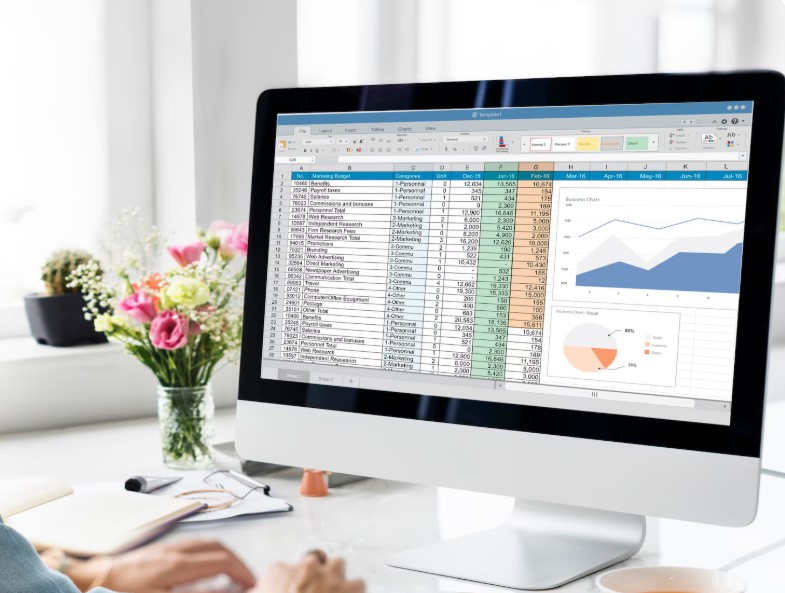
When it comes to managing and organizing data, two tools often come to mind — spreadsheets and databases. Both play a crucial role in storing, analyzing, and presenting information, but they serve very different purposes. Whether you’re a small business owner, data analyst, or student, understanding the difference between a spreadsheet and a database can help you choose the right tool for your needs.
In this article, we’ll explore Spreadsheet vs Database, their pros and cons, and when it’s best to use each one.
What Is a Spreadsheet?
A spreadsheet is a file that organizes data into rows and columns — typically using tools like Microsoft Excel, Google Sheets, or Apple Numbers. It’s a popular choice for simple data management, calculations, and analysis.
Each cell in a spreadsheet can contain text, numbers, or formulas. Users can apply functions to perform quick calculations, create charts, and visualize trends without any coding knowledge.
Common Uses of Spreadsheets:
- Budget tracking
- Financial analysis
- Inventory management
- Data entry and organization
- Simple reporting and charting
Advantages of Spreadsheets:
- Easy to learn and use
- Great for small datasets
- Visual tools for quick insights
- Ideal for individuals or small teams
Limitations of Spreadsheets:
- Limited capacity for large data
- Prone to human error
- Difficult to manage multiple users simultaneously
- No built-in data validation or relationship management
What Is a Database?
A database is a structured system that stores and manages data electronically. Unlike spreadsheets, databases are designed to handle large, complex datasets efficiently and securely.
Common database management systems include MySQL, Microsoft SQL Server, PostgreSQL, Oracle, and MongoDB.
Databases use tables, fields, and relationships to store data logically. They allow for powerful querying through SQL (Structured Query Language) and can manage data from multiple users at once without duplication or loss.
Common Uses of Databases:
- E-commerce platforms
- Customer relationship management (CRM) systems
- Inventory and supply chain management
- Web applications and software systems
- Business intelligence and analytics
Advantages of Databases:
- Can handle large amounts of data efficiently
- Multi-user access and collaboration
- Strong data security and integrity
- Supports automation and integration
- Enables complex queries and reports
Limitations of Databases:
- Requires technical knowledge to set up and manage
- More expensive to develop and maintain
- Overkill for small or simple data tasks
Spreadsheet vs Database: Key Differences
| Feature | Spreadsheet | Database |
| Data Storage | Stores data in a single file (rows & columns) | Stores data in structured tables with relationships |
| Data Size | Best for small datasets (under 1 million rows) | Ideal for large, complex datasets |
| User Access | Limited multi-user capability | Supports multiple users simultaneously |
| Data Integrity | More prone to manual errors | High accuracy with validation and constraints |
| Automation | Limited automation features | Can automate data entry, queries, and reports |
| Security | Basic password protection | Advanced user roles and encryption |
| Scalability | Hard to scale beyond small projects | Designed to scale easily |
| Example Tools | Excel, Google Sheets | MySQL, SQL Server, MongoDB, Oracle |
When to Use a Spreadsheet
Use spreadsheets when:
- You’re managing small datasets.
- You need quick calculations and visual charts.
- You want an easy-to-use tool with no coding required.
- Only one or two people will work on the data.
Example:
A freelancer tracking monthly expenses or a teacher recording student grades can efficiently use a spreadsheet.
When to Use a Database
Use databases when:
- You’re handling large or complex datasets.
- Multiple people need to access or update data simultaneously.
- You want to integrate data with other systems (like ERP or CRM).
- Data accuracy, automation, and scalability are priorities.
Example:
An e-commerce business tracking thousands of customers, orders, and products should use a database for reliability and performance.
Can Spreadsheets and Databases Work Together?
Absolutely! Many organizations use both tools in combination.
For instance, a company may store large datasets in a database but export summarized results to Excel for quick reporting or visualization.
Integrations between systems like Google Sheets and MySQL or Excel and SQL Server make this workflow even smoother.
Final Thoughts
When comparing Spreadsheet vs Database, the choice depends on your project’s complexity, data size, and collaboration needs.
- If you need a quick, user-friendly tool for simple analysis — go with a spreadsheet.
- If your goal is to manage massive data with high security, accuracy, and automation — a database is the smarter option.
In many cases, the most efficient setup combines both: using databases for data storage and spreadsheets for flexible reporting and visualization.
